Field operations software for surveying, plumbing, electrical and HVAC crews
Run your field crews from dispatch to signed ticket.
GridMark schedules the crew, guides them through the site visit, gets the client's sign-off on the spot, and turns it into a report and an invoice — all from a phone.
Already a client of a GridMark company? Open the client portal
One job, one record, start to finish.
Dispatch
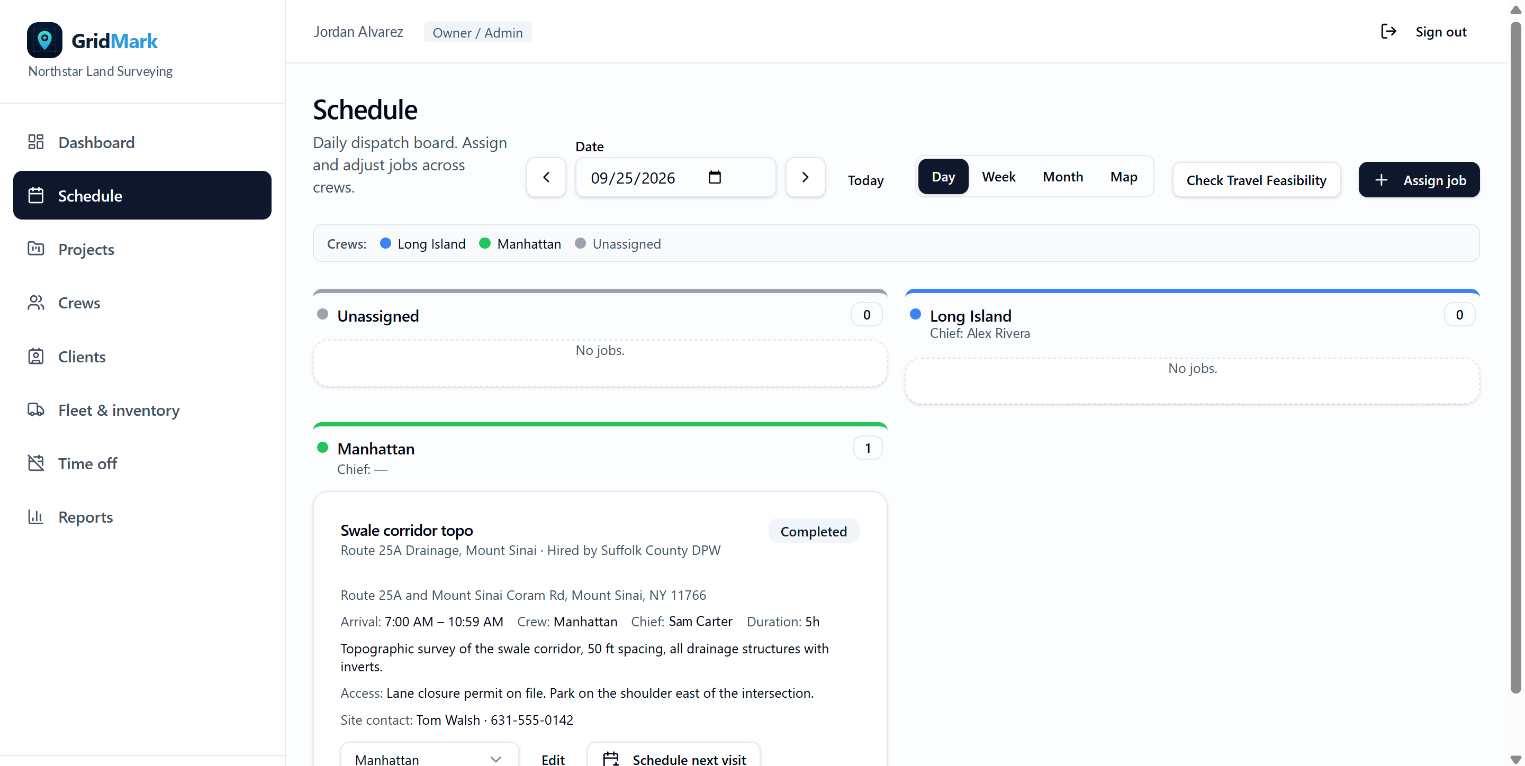
Assign the crew, the arrival window and the site instructions in one dialog. Conflicts and time off are flagged before you save.
On site
The crew starts the visit from their phone, works the job's own checklist, and logs notes, photos and expenses as they go.
Sign-off
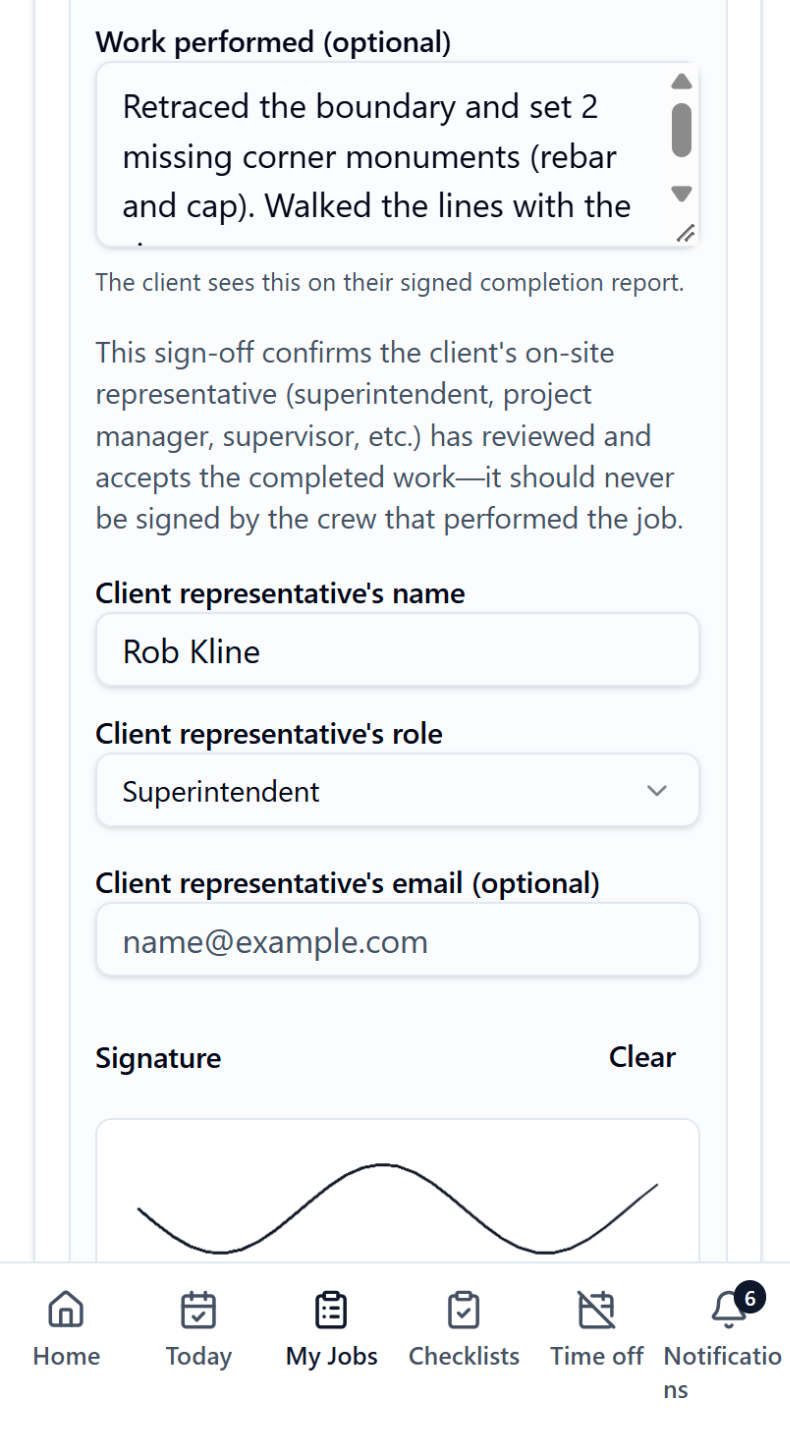
The client's representative signs on the screen. The job closes itself and the signed report is emailed the same minute.
Bill
Turn the completed visit into an invoice with the work performed already filled in. Export the internal report for costing.
For the office
See what needs you, not everything.
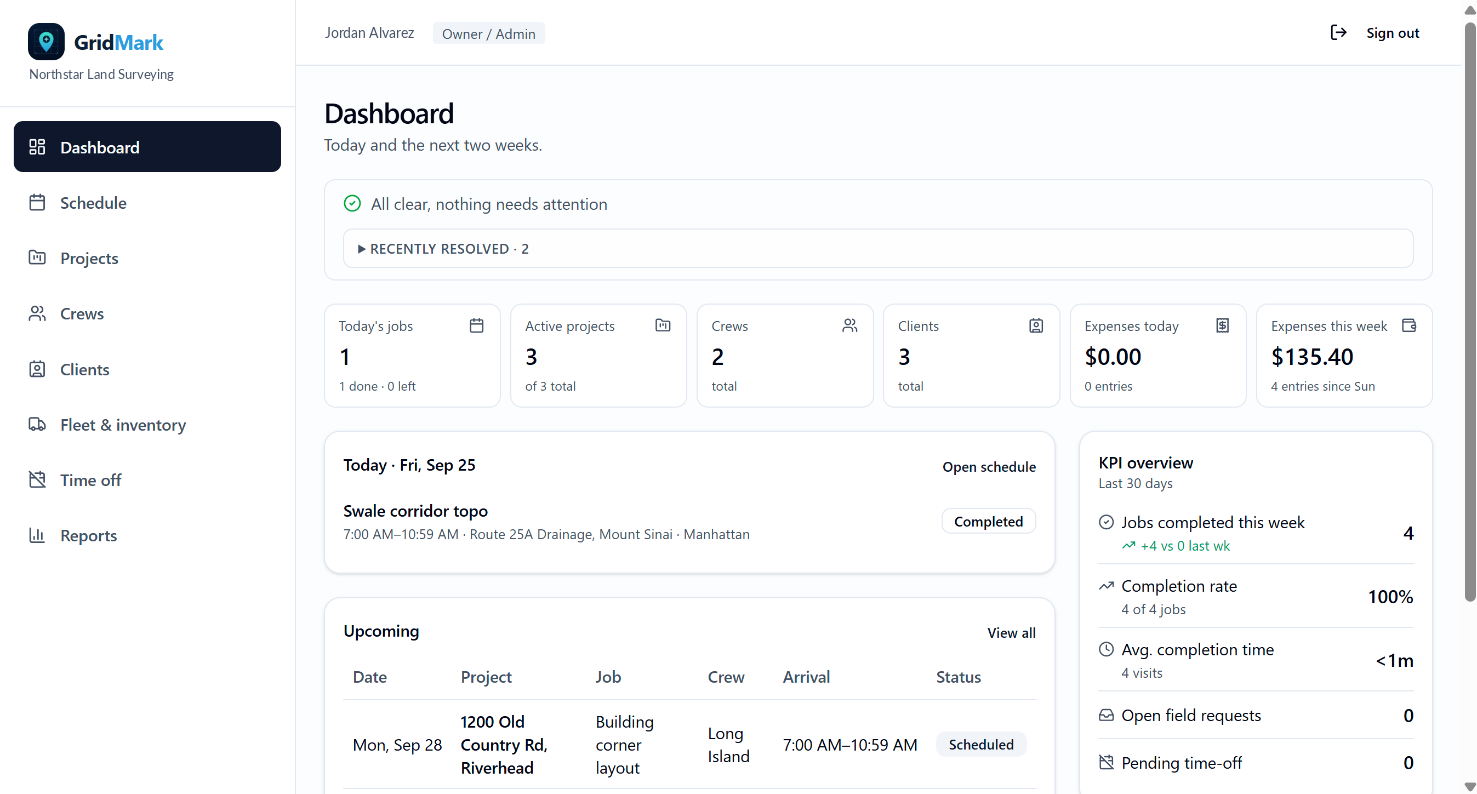
A needs-attention list at the top of the dashboard, a schedule you can read by day, week or month, and reports that drill down to the job. Approve field requests and time off from the same screen.
- Day / week / month scheduling with double-booking warnings
- Needs-attention items that must be resolved, with an audit trail
- Expenses, fleet checklists and inventory in one place
For the crew
Everything for today, on one phone screen.
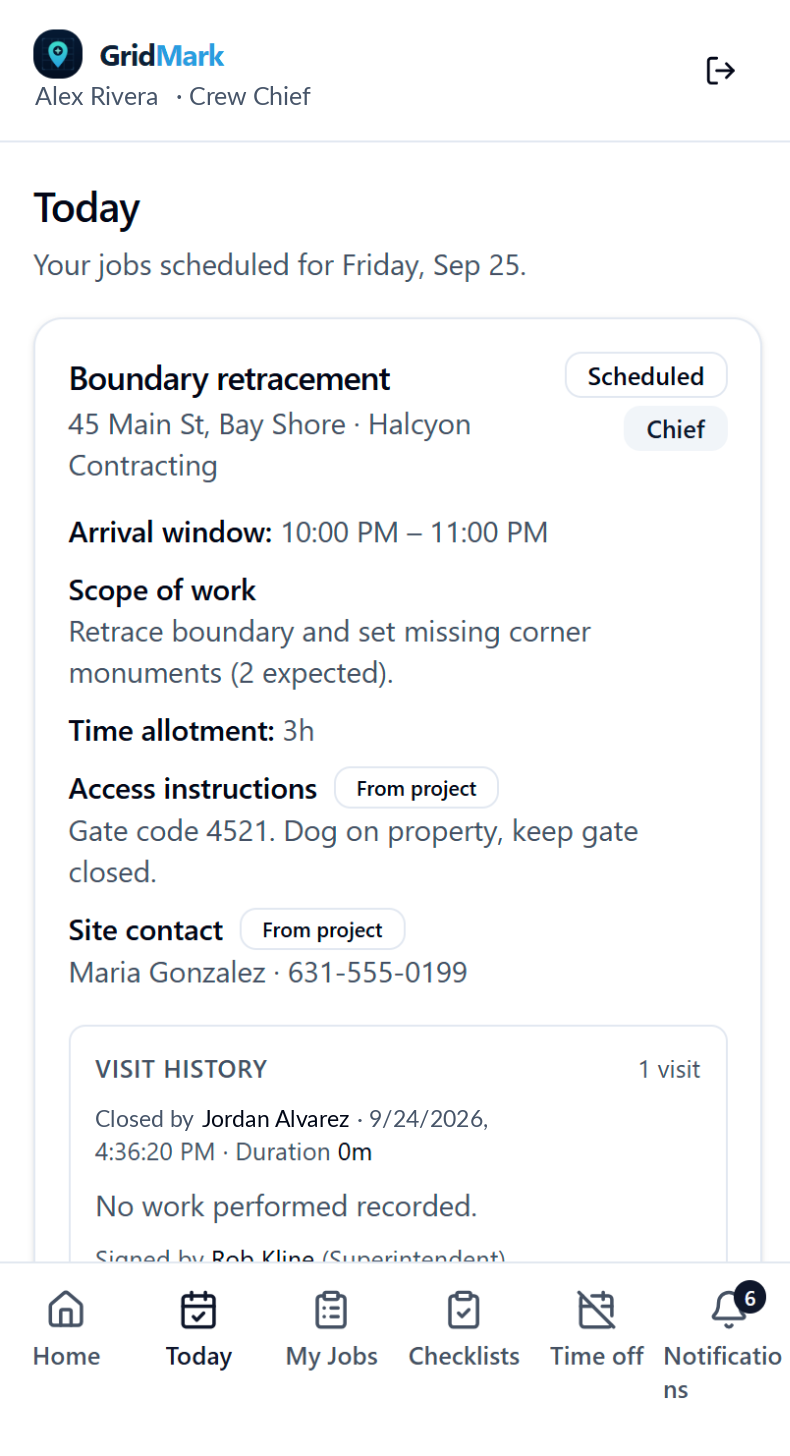
Today's jobs with access instructions and the site contact, one tap to start the visit, a checklist built from the job's actual scope, and a two-step closeout that captures the signature, the files and the day's expenses.
- Start visit with location check
- Client sign-off on the screen, no paper
- Field log and requests that go straight to the office
For your clients
A portal your clients will actually use.
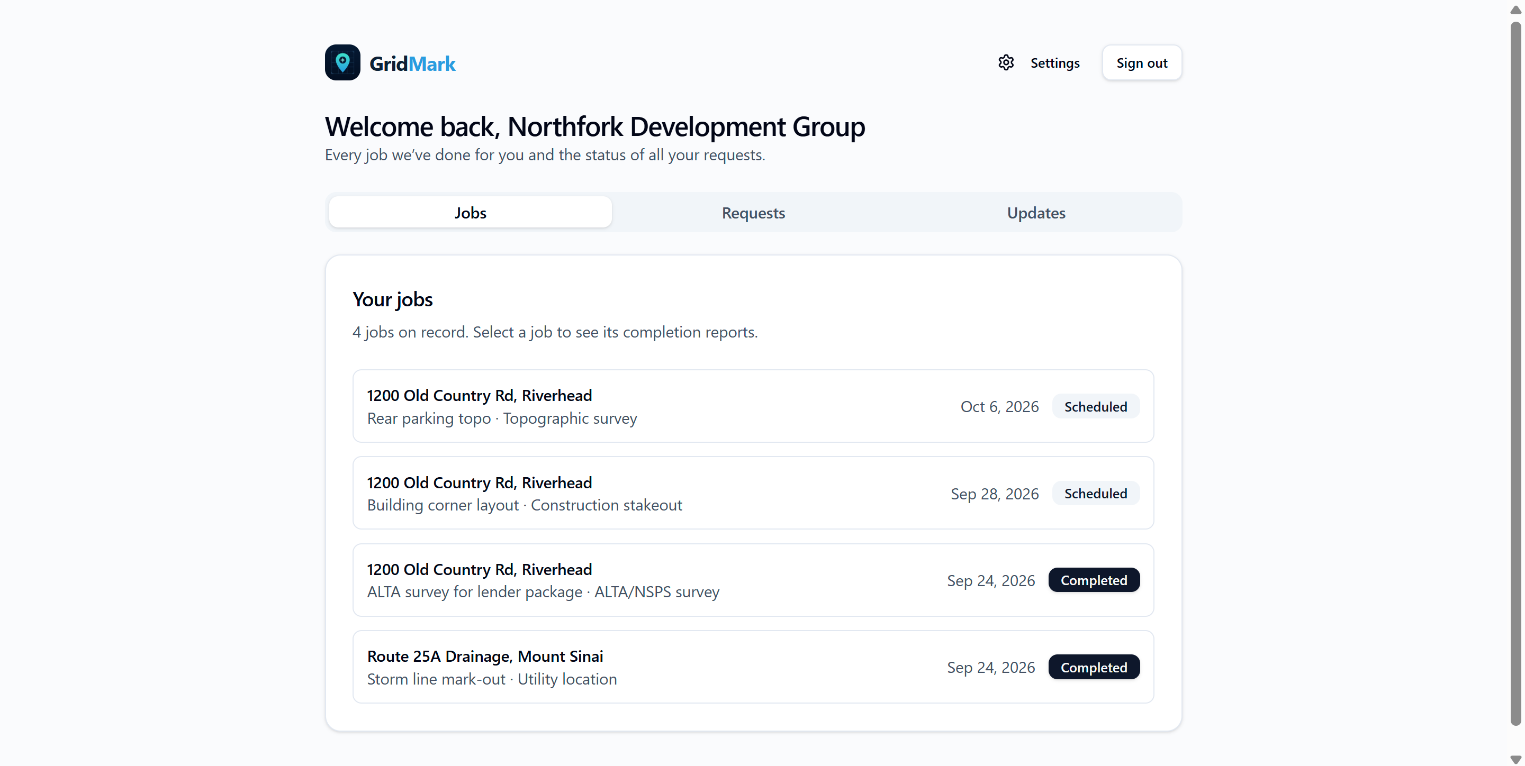
Clients see their jobs, download the signed completion report, and request additional work. Changes go back and forth in one thread until both sides agree — then it's on the schedule.
- Signed reports available the moment the visit closes
- Work requests with accept / modify / decline
- Email updates when a visit is scheduled, moved or done
Built for how field work actually works.
Job-specific checklists
Generated from the scope and equipment on the job, not a generic form.
Two reports, one visit
A clean client report, and an INTERNAL report with times, checklist and costs for the office only.
Crew history
Who worked which job, when, and what they logged — kept even when rosters change.
Fleet & inventory
Vehicle checklists with failure alerts, and truck stock with counts, orders and per-job usage.
Role-based access
Owners, project managers, crew chiefs, crew and clients each see only what they should.
Works in the field
Installs on a phone like an app. Tells you when you're offline and protects your work until you're back.
Ready to run your crews on GridMark?
Tell us about your company and we'll get you set up.